Actual calculators. Actual results.
These are real screenshots of live Pro calculators, each showing a genuinely passing design — not mockups.
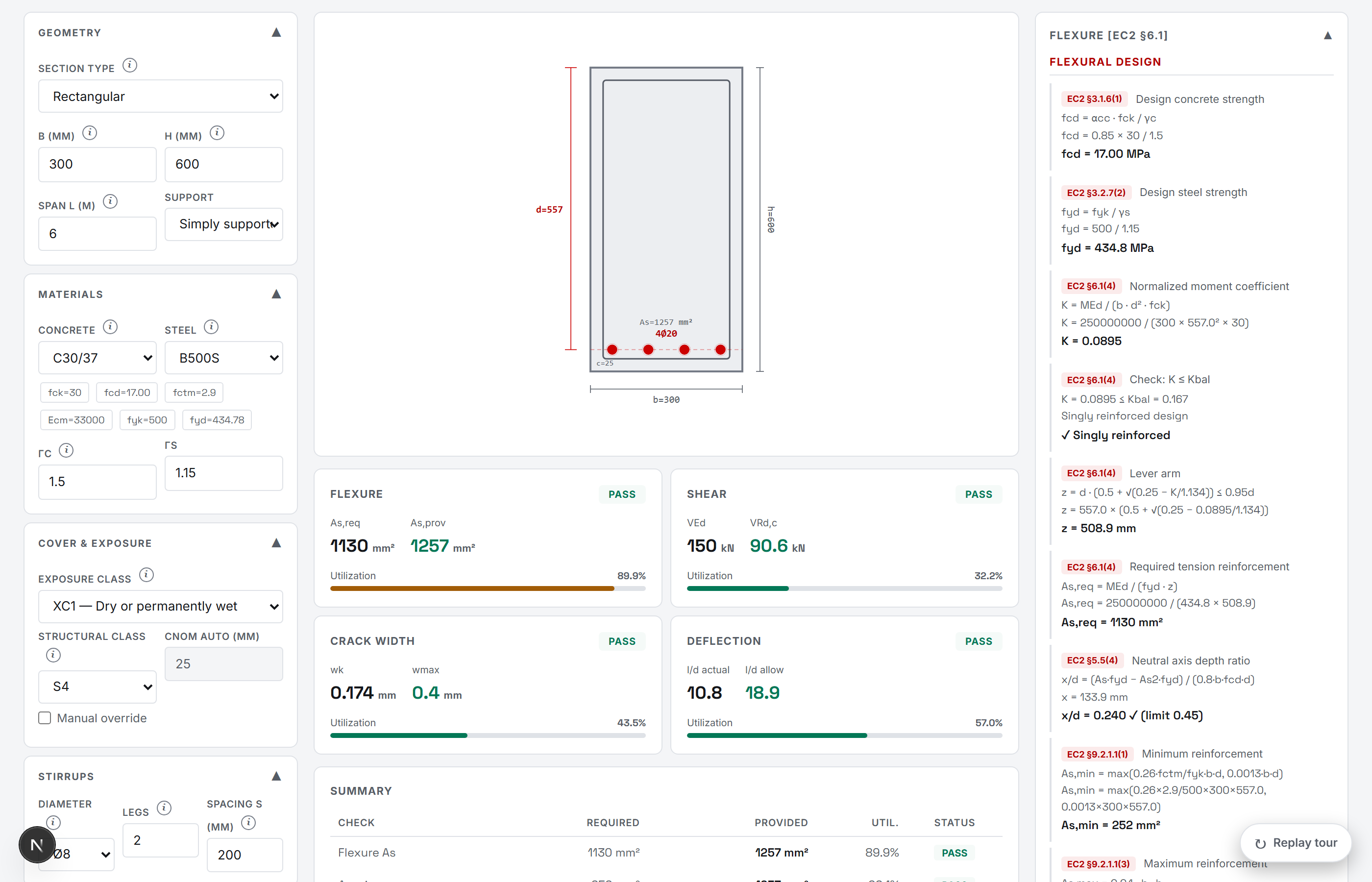
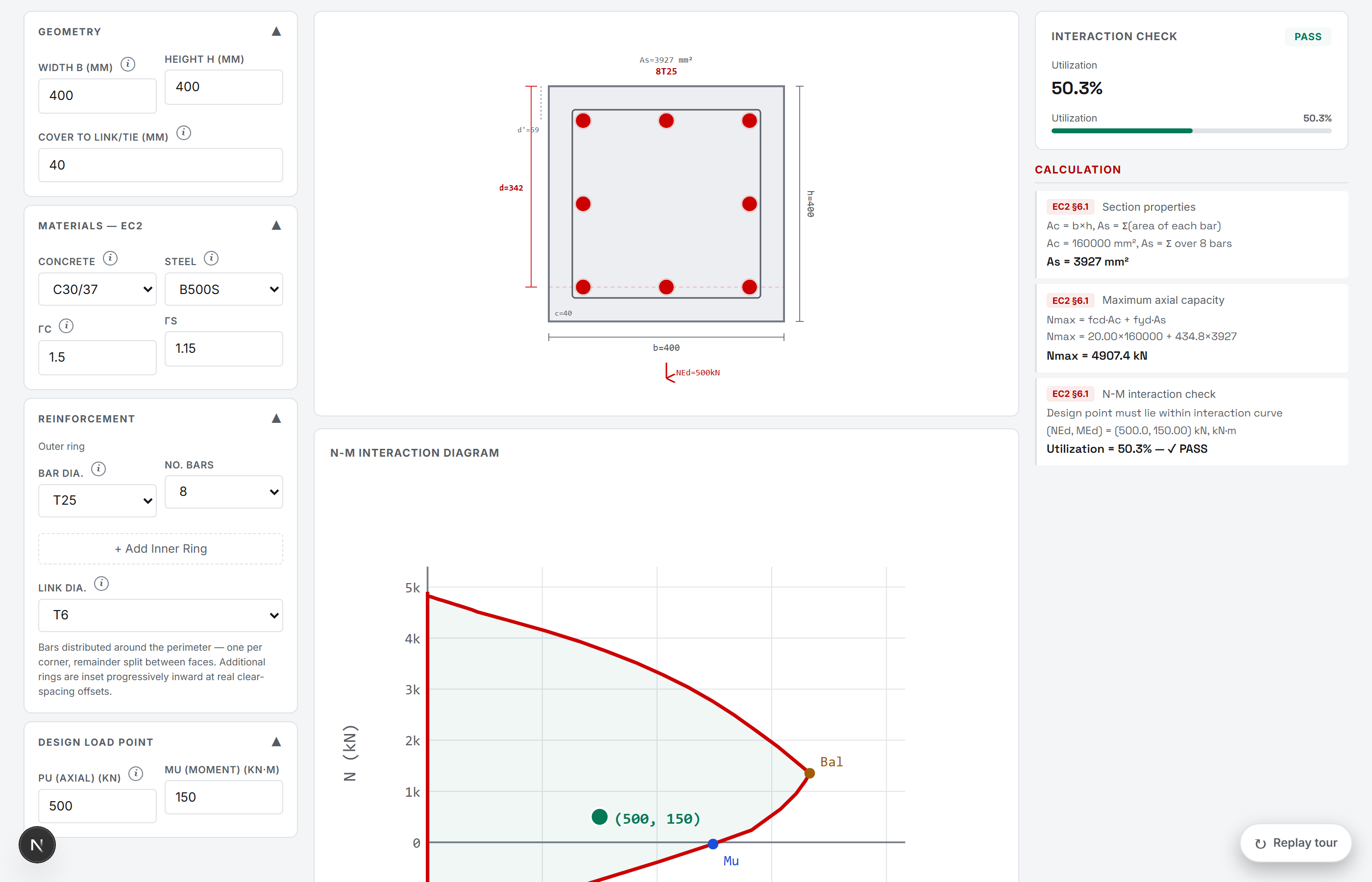
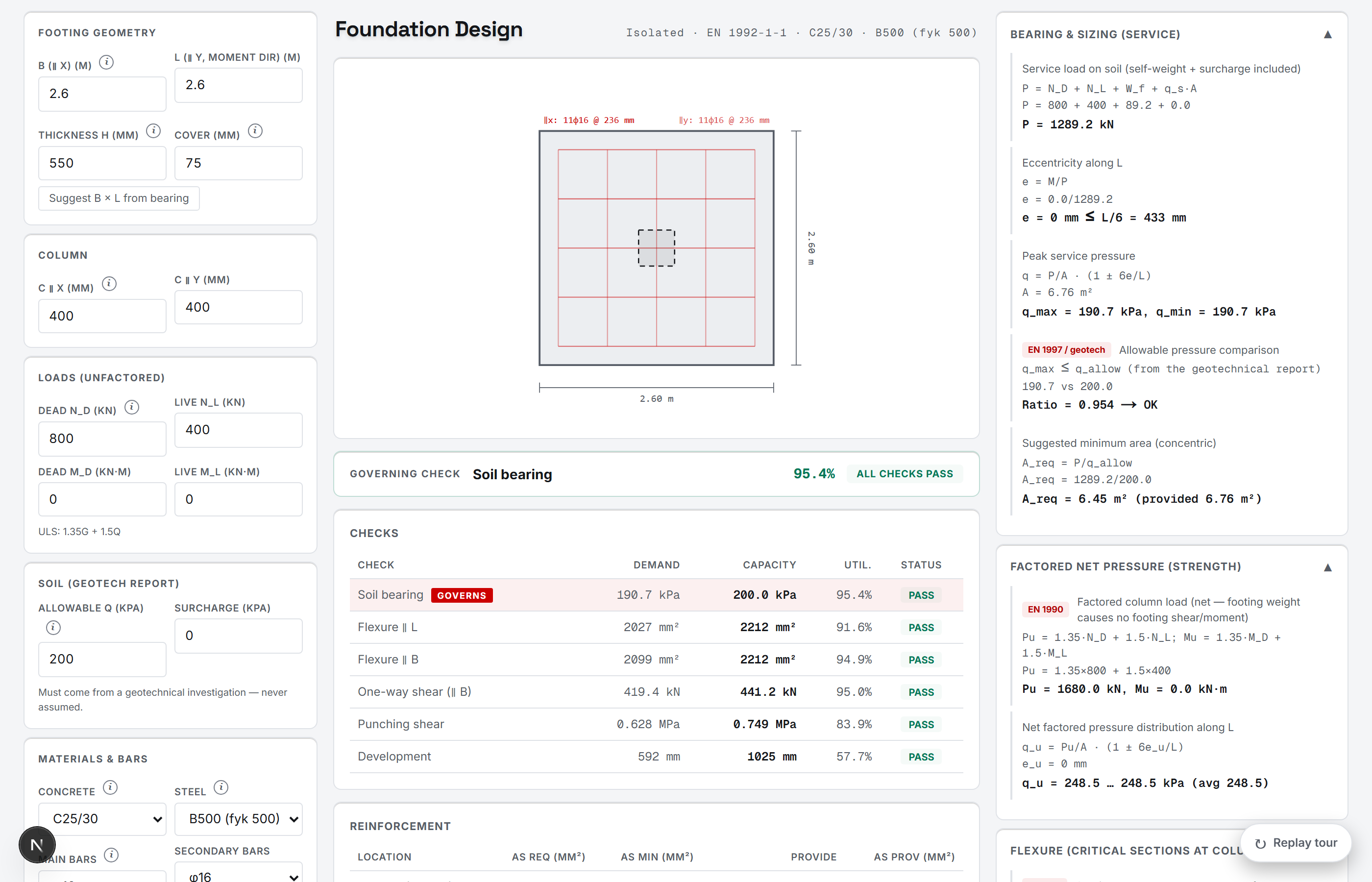
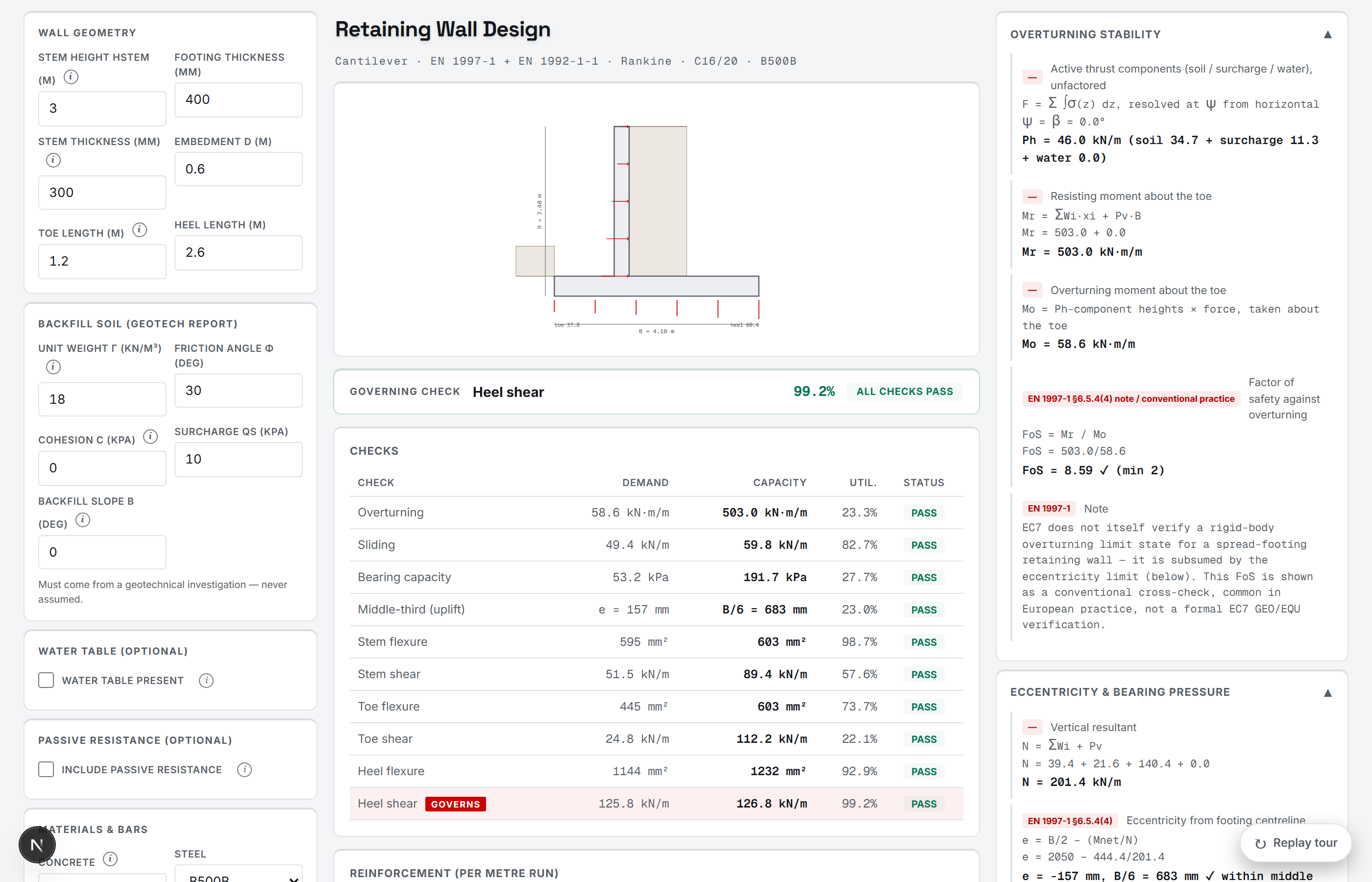
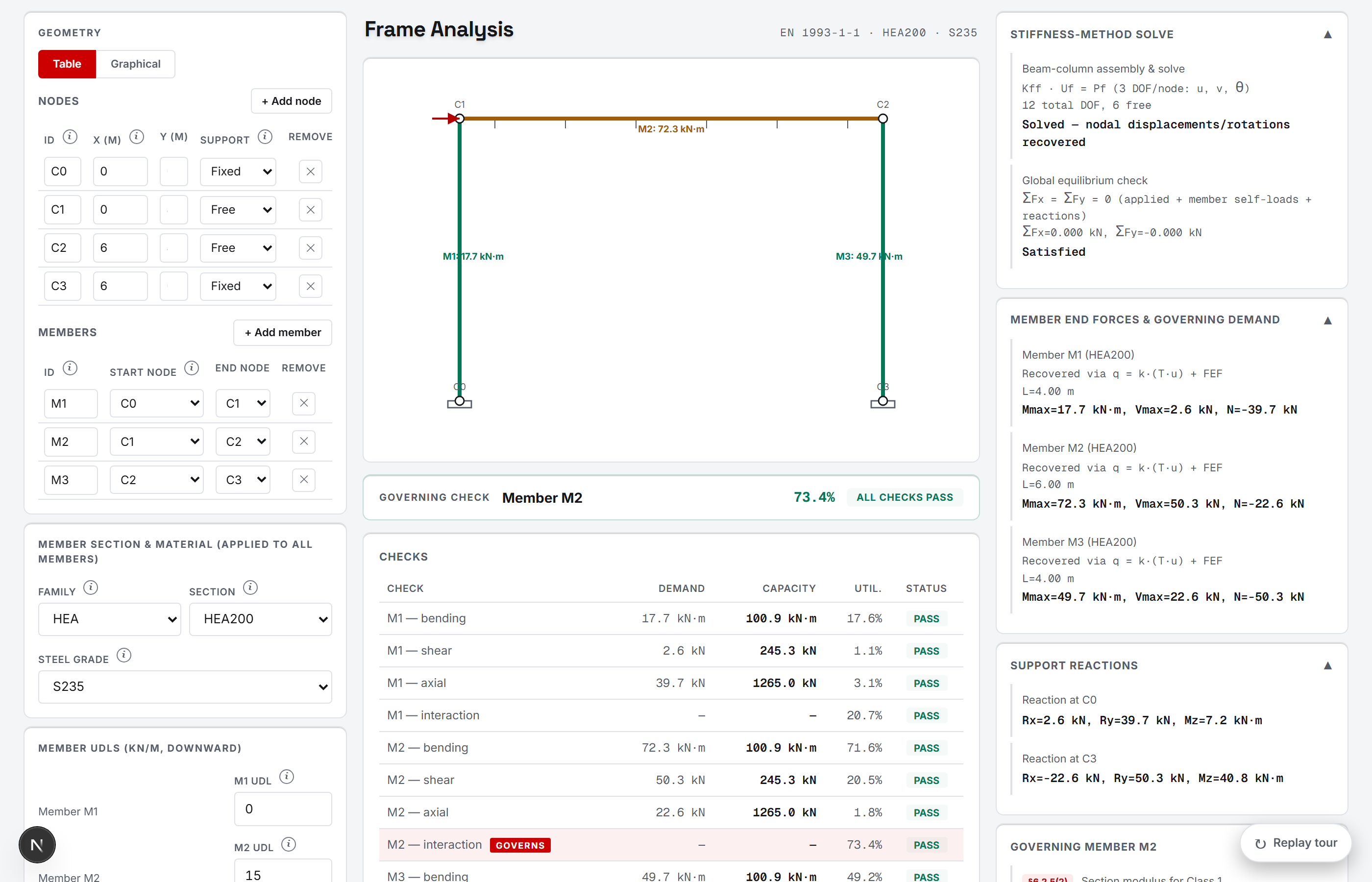
You already know how to do this. Pro just does it faster.
None of these tools replace engineering judgment — they replace the hour spent rebuilding the same flexure check in a new spreadsheet, or manually working through every ULS/SLS combination by hand. Pro is for the calculations you already know how to do, done with real code references, checked assumptions, and no setup time.
Skip the spreadsheet
Every Pro tool is a working calculation engine, not a template you still have to adapt — enter your geometry and loads, get a real result.
See the governing case, not every case
Load combinations, interaction checks and multi-panel slabs generate dozens of cases — Pro tools surface the one that actually governs.
Nothing is hidden
Every formula, clause and substitution is shown — the same transparency as the free tools, extended to full design workflows.
12 tools, organized by what you're actually working on.
Design flexure, shear and serviceability without rebuilding the calculation in Excel.
Design one-way and two-way slabs — reinforcement, deflection and bar spacing — without hand-distributing moments across every panel.
Check axial load and biaxial bending against a real interaction diagram, instead of guessing at a reinforcement ratio and hoping it holds.
See the full P-M interaction envelope for a column and exactly where your design point sits on it, instead of checking one load case at a time.
Classify the section, then check bending, shear, lateral-torsional buckling and deflection in one pass — not four separate hand calculations.
Check bolt shear, bearing, block shear, prying action and weld capacity for a real connection, instead of assuming it's fine because the members are.
Solve any 2D truss geometry for member forces and check each one for tension or buckling capacity, without setting up the stiffness method by hand.
Analyze a rigid frame for bending, shear and axial forces together, and check each member's combined interaction — without building a stiffness matrix by hand.
Every step is visible, every time.
A tool that hides its working isn't one you can actually check. Every Pro calculator, on every result, shows:
The actual formula used, not just a final number
The specific code and clause it comes from
The real numbers substituted into that formula
Every stated assumption behind the check
How do we know the formulas are right?
Every calculator's engine runs against a benchmark suite of independently-verified cases — checked against published code tables, hand-derived calculations, and real worked examples. See the real, honest numbers.
Free
Core structural calculators — no account needed.
Pro
Professional structural calculation tools for real engineering workflows.
Common questions
The Free plan includes Beam Calculator, Unit Converter, Rebar Calculator, Section Properties, Material Properties, Seismic Base Shear, Wind Load Calculator — in both SI and Imperial units. No account required.
Every calculator's underlying formulas run through an automated benchmark suite, and the real numbers are published rather than a vague "trusted by engineers" claim — see the Validation page for exactly how many independently-verified cases exist, calculator by calculator, checked against published code tables, hand-derived calculations, and real worked examples. Coverage varies by calculator and is still growing — it's not a certification.
See the full validation breakdown →Across the site: EN 1990, ACI 318, EC2, EC3, AISC 360, ASCE 7, EC7, EC5, EC6, EC9, EC8, EC1 — the applicable standard depends on the calculator. Eurocode coverage spans concrete (EN 1992-1-1), steel design and connections (EN 1993-1-1 / EN 1993-1-8), geotechnical (EN 1997-1), seismic (EN 1998-1) and wind (EN 1991-1-4); US coverage spans concrete (ACI 318-19), steel (AISC 360) and loads/seismic/wind (ASCE 7-22). Each calculator's own page shows exactly which edition and clause every result comes from.
Enginus supports engineering calculation and preliminary design workflows — real formulas, real code references, no black boxes. But it's a calculation tool, not a substitute for professional judgment: final engineering decisions, verification and professional responsibility remain with the licensed engineer of record on any real project.
Yes, on every calculator — every result comes with the formula used, the code clause it's from, and the actual numbers substituted in, not just a final pass/fail. That's deliberate: you can follow, and check, every step yourself.
Yes, depending on the tool: most calculators export their full step-by-step results as a PDF; the Load Combination Generator exports its combination table directly to Excel; Design Basis Report generates a structured PDF or Word document ready for a submittal.
Absolutely. Cancel your subscription at any time — no long-term contracts, no hidden fees.
No — your inputs and results are computed entirely in your browser for that session and aren't saved to our servers or your account. Refreshing the page clears them. Account and subscription information is stored separately (via Supabase) to manage sign-in and billing.
Read the Privacy Policy →